The
product
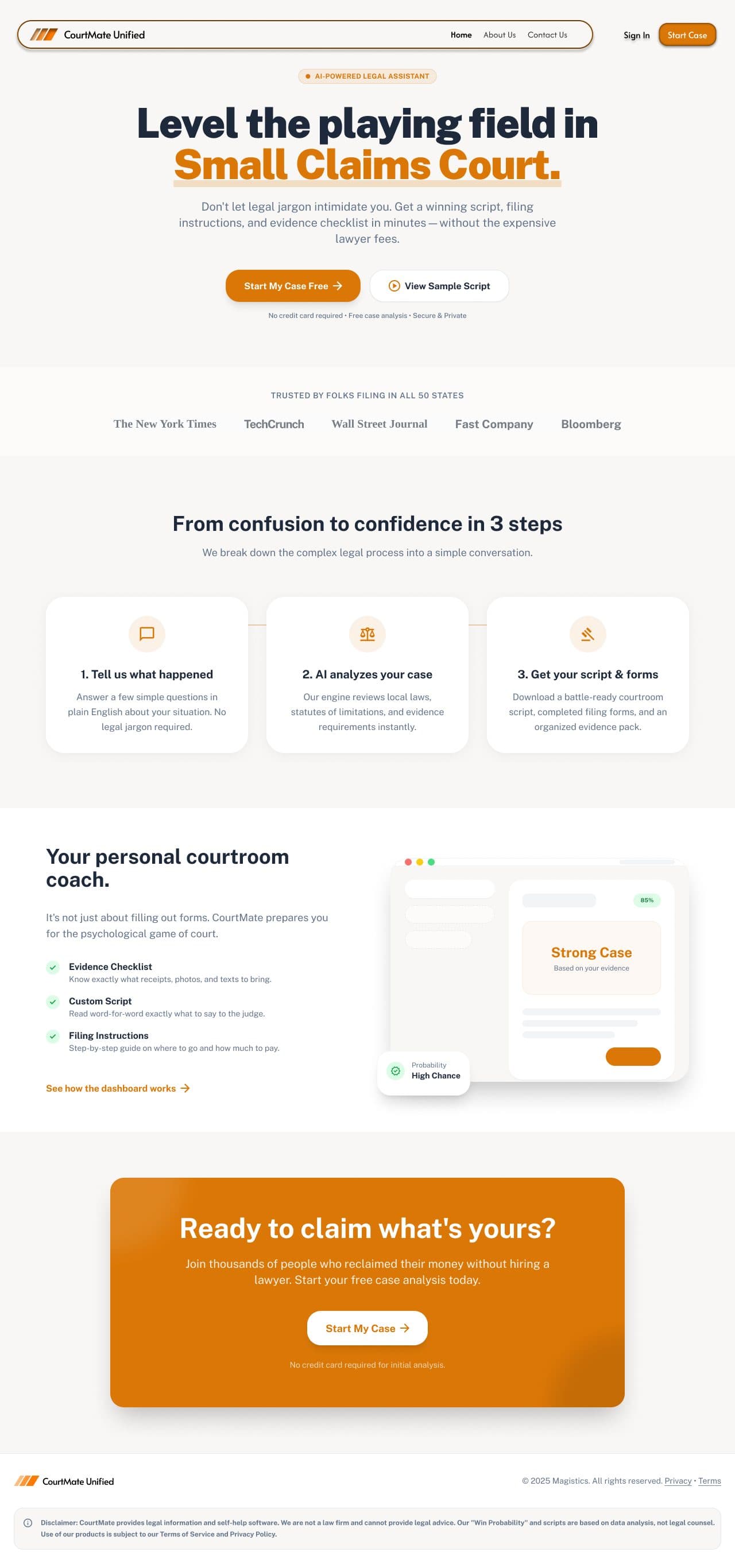
CourtMate Unified is a hackathon-built AI legal assistant designed for people navigating small claims court without a lawyer. It takes a user's situation in plain English, analyzes the case against local laws and filing requirements, and produces three things: a word-for-word courtroom script, a filing instruction guide, and an evidence checklist - everything needed to walk into court prepared, without spending money on legal counsel.
The
challenge
Small claims court exists specifically so ordinary people can resolve disputes without hiring a lawyer. In practice, it rarely works that cleanly. Legal jargon is intimidating. Filing procedures vary by jurisdiction. Knowing what evidence to bring, what to say to the judge, and how to frame an argument takes knowledge most people don't have and can't afford to acquire quickly. People either abandon legitimate claims because the process feels too complex, or they show up underprepared and lose cases they should have won. CourtMate was built to close that gap - not by replacing lawyers, but by giving self-represented claimants the preparation that levels the playing field.
How it came together
Conversation over forms
Legal intake is inherently form-filling - case type, defendant, claim amount, evidence. The instinct is to present this as a multi-field form. CourtMate frames it as a conversation: 'Tell us what happened.' The wizard collects the same information but through labeled, focused steps that don't confront the user with the full complexity at once. Each step has a single clear job.
Win probability as a confidence signal, not a guarantee
The 85% win probability score sits prominently on the dashboard. The UI pairs the number with clear context (based on evidence, case type, and local statutes) and the product includes a legal disclaimer that this is data analysis, not legal counsel. The goal is confidence, not false certainty.
Evidence as a first-class feature
Most legal tools focus on documents. CourtMate treats evidence preparation as a core output - the dashboard surfaces specific contextual callouts when evidence is missing. The case wizard includes a dedicated upload step. The evidence checklist tells users not just what to bring but why each item matters. This mirrors how a good lawyer actually prepares a client.
Lawyer recommendations as a trust safety net
The dashboard includes a recommended lawyers panel. Some cases are too complex for self-representation. Surfacing vetted lawyers as an option, rather than pretending every case can be handled alone, makes the product more trustworthy, not less.
What I shipped
The result
“Legal tools carry an implicit trust requirement. The interface has to feel like something a person would trust with a real legal situation, which means prioritizing clarity and credibility over visual flair.”
What I'd push further
The case wizard currently collects information and produces outputs, but it doesn't yet include the AI rehearsal feature teased in the UI - a mock cross-examination where the user can practice their statement against an AI judge before the hearing. That feature would complete the preparation loop and is the highest-value addition for the next version.